

Hi
This is a little tutorial about how to delete/leave conversations/PM on OF.
There is two ways you can do it.
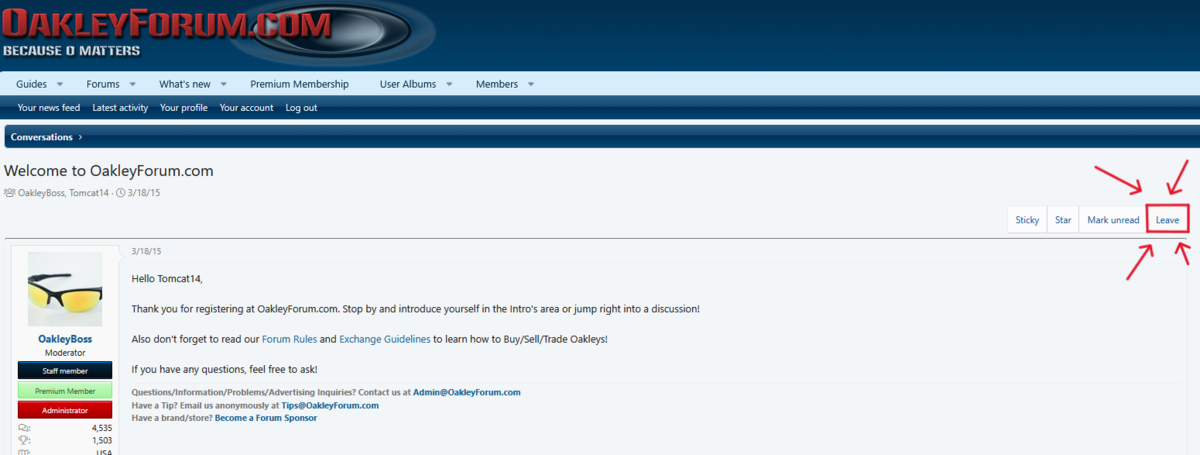
Step 1A When you are in a conversation/PM click on the leave button.
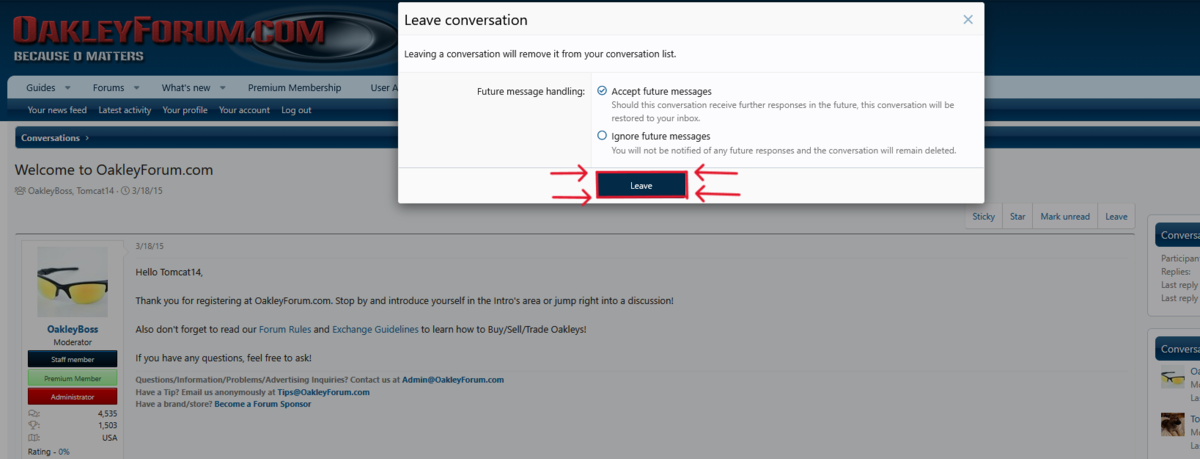
Step 2A When you click on that button, this will appear. Then make your choice.
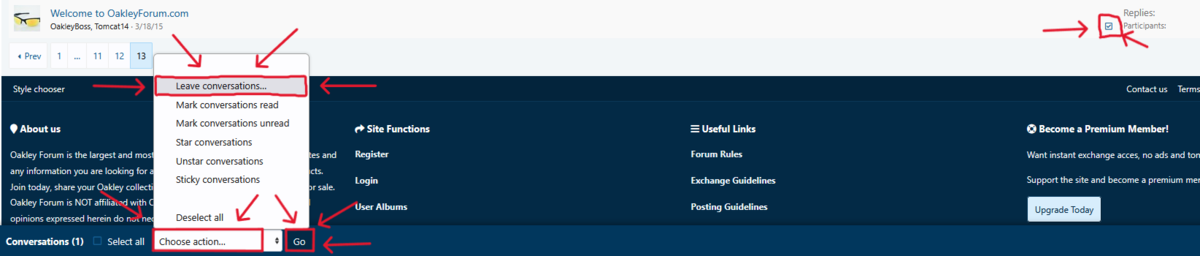
Step 1B You can also do it on your conversations page.
Just mark what conversation you want to leave and then click on the choose action button and then "leave conversations" and finally click on the Go button.
Then you will see this step again.
I hope this will help answering any questions.
This is a little tutorial about how to delete/leave conversations/PM on OF.
There is two ways you can do it.
Step 1A When you are in a conversation/PM click on the leave button.
Step 2A When you click on that button, this will appear. Then make your choice.
Step 1B You can also do it on your conversations page.
Just mark what conversation you want to leave and then click on the choose action button and then "leave conversations" and finally click on the Go button.
Then you will see this step again.
I hope this will help answering any questions.


